
Python for Web Scraping
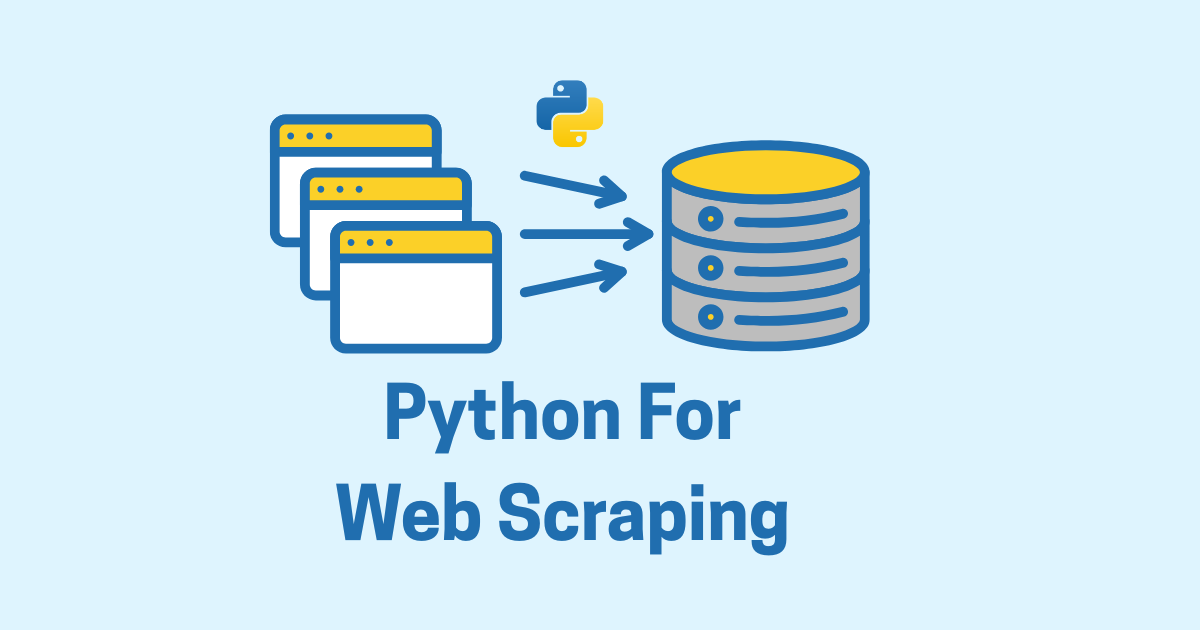
Python has become one of the most popular languages for web scraping, and for good reason. It is easy to read, easy to learn, and backed by a rich ecosystem of libraries that make grabbing data from websites far more approachable than it once was. Whether you want to collect product prices, monitor news articles, build a dataset for analysis, or automate repetitive data gathering, Python gives you a practical and flexible starting point.
Web scraping is one of those skills that feels both simple and powerful at the same time. At the simplest level, it means requesting a web page, reading the HTML, and extracting the information you need. But as soon as you start working with real websites, the picture becomes more interesting. Some pages load data dynamically with JavaScript. Some require pagination. Some block frequent requests. Some have messy HTML. Some change structure without warning. That is where Python really shines, because you can start with the basics and gradually move toward more advanced scraping techniques as your needs grow.
This article walks through Python web scraping in a practical way, from the first request to more advanced approaches like handling pagination, cleaning extracted data, and dealing with dynamic content. The goal is not just to show code, but to help you understand how scraping works so you can use it confidently in real projects.
What web scraping actually means
Web scraping is the process of collecting information from websites automatically. Instead of copying content by hand, a script does the work for you. The script visits web pages, reads their content, identifies the relevant parts, and saves the data in a useful format.
A typical scraping workflow looks like this:
Send a request to a web page.
Receive the HTML response.
Parse the HTML.
Locate the information you want.
Extract and clean the data.
Save it to a file, database, spreadsheet, or API.
That sounds straightforward, but websites can be built in many different ways. Some expose data directly in the HTML. Others load it through JavaScript after the page opens. Some provide APIs behind the scenes. Some have anti-bot protections. Python can handle all of these situations, but the tools you choose will depend on the website.
Why Python is such a good fit
Python is especially well suited for scraping because it combines simplicity with power.
A few reasons stand out:
The syntax is readable and beginner-friendly.
Libraries like
requests,BeautifulSoup,lxml,pandas, andseleniumcover most scraping needs.Python makes data cleaning and storage easy.
It works well for quick scripts and larger automation systems.
It integrates nicely with CSV, JSON, Excel, databases, and web frameworks.
If you are already comfortable with Python, web scraping becomes a natural extension of what you know. And if you are new to Python, scraping can be a motivating project because you get useful results quickly.
Important ethical and legal considerations
Before writing a single line of scraping code, it is worth pausing for a moment. Web scraping is powerful, but it should be done responsibly.
Not every website allows scraping. Some sites have terms of service that restrict automated access. Others may allow it under certain conditions. Some pages are publicly accessible but still not meant to be hammered by repeated requests. In addition, some data may be copyrighted, private, or sensitive.
A responsible scraper should:
respect the website’s terms and policies
avoid overwhelming servers with too many requests
collect only the data you truly need
avoid personal or private information
identify itself politely when appropriate
check whether an API is available before scraping HTML directly
In many cases, a website may offer a public API that is safer and more reliable than scraping. When that exists, it is usually the better choice. Scraping is best used when there is no official API, when the data is public, and when your use case is reasonable.
The basic tools you will use
Python scraping usually involves a few core libraries.
requests
requests is the go-to library for sending HTTP requests. It lets you fetch HTML pages easily.
BeautifulSoup
BeautifulSoup is used for parsing HTML and navigating the document structure.
lxml
lxml is a fast parser that works well with both BeautifulSoup and XPath.
pandas
pandas helps you clean, analyze, and save structured data.
selenium or playwright
These tools control a browser and are useful when a page relies on JavaScript to render content.
csv and json
These are built-in Python modules that help you save data in common formats.
For a beginner, the best place to start is usually requests and BeautifulSoup.
Installing the basics
You can install the most common scraping packages like this:
pip install requests beautifulsoup4 lxml pandas
If you later need browser automation, you can add:
pip install selenium
Or for modern browser automation:
pip install playwright
For now, let us stay with the basics.
Your first web scraping script
Let us begin with a simple example. Suppose you want to fetch a page and print its HTML.
import requests

url = "https://example.com"
response = requests.get(url)

print(response.status_code)
print(response.text[:500])
Here is what is happening:
requests.get(url)sends a GET request.response.status_codetells you whether the request succeeded.response.textcontains the HTML content.
If the status code is 200, the request succeeded. Other common codes include 404 for page not found and 403 for forbidden access.
If you want to be careful, you should always check the response before proceeding.
import requests

url = "https://example.com"
response = requests.get(url)

if response.status_code == 200:
    print("Page loaded successfully")
else:
    print(f"Failed to load page: {response.status_code}")
That small habit saves a lot of confusion later.
Parsing HTML with BeautifulSoup
Once you have the HTML, the next step is parsing it.
import requests
from bs4 import BeautifulSoup

url = "https://example.com"
response = requests.get(url)

soup = BeautifulSoup(response.text, "lxml")

print(soup.title.text)
BeautifulSoup turns raw HTML into a structured object that you can search and navigate.
For example, if you want the first heading on the page:
print(soup.h1.text)
If the element is missing, this can raise an error, so it is usually safer to check first.
heading = soup.find("h1")
if heading:
    print(heading.text.strip())
Finding elements by tag, class, and id
One of the first things you learn in web scraping is how to locate elements on a page.
Suppose the HTML looks like this:
<div class="product">
    <h2 class="title">Python Book</h2>
    <p class="price">$29.99</p>
</div>
You can extract the title and price like this:
from bs4 import BeautifulSoup

html = """
<div class="product">
    <h2 class="title">Python Book</h2>
    <p class="price">$29.99</p>
</div>
"""

soup = BeautifulSoup(html, "lxml")

title = soup.find("h2", class_="title").text
price = soup.find("p", class_="price").text

print(title)
print(price)
You can also use CSS selectors:
title = soup.select_one(".title").text
price = soup.select_one(".price").text
CSS selectors are often more flexible and feel natural if you already know a bit of front-end development.
Extracting multiple items
Most scraping tasks involve repeating elements, such as product cards, news articles, or search results.
Imagine a page like this:
<div class="article">
    <h2>Article One</h2>
</div>
<div class="article">
    <h2>Article Two</h2>
</div>
<div class="article">
    <h2>Article Three</h2>
</div>
You can collect them all:
from bs4 import BeautifulSoup

html = """
<div class="article"><h2>Article One</h2></div>
<div class="article"><h2>Article Two</h2></div>
<div class="article"><h2>Article Three</h2></div>
"""

soup = BeautifulSoup(html, "lxml")

articles = soup.find_all("div", class_="article")

for article in articles:
    print(article.h2.text)
This pattern is extremely common. You locate a repeating container, then extract the fields inside it.
A practical example: scraping a simple book list
Let us build a realistic example with multiple fields.
from bs4 import BeautifulSoup

html = """
<div class="book">
    <h2 class="title">Clean Code</h2>
    <p class="author">Robert C. Martin</p>
    <span class="price">$32.50</span>
</div>

<div class="book">
    <h2 class="title">The Pragmatic Programmer</h2>
    <p class="author">Andrew Hunt and David Thomas</p>
    <span class="price">$28.99</span>
</div>
"""

soup = BeautifulSoup(html, "lxml")
books = soup.find_all("div", class_="book")

for book in books:
    title = book.find("h2", class_="title").text.strip()
    author = book.find("p", class_="author").text.strip()
    price = book.find("span", class_="price").text.strip()

    print(title, author, price)
Output:
Clean Code Robert C. Martin $32.50
The Pragmatic Programmer Andrew Hunt and David Thomas $28.99
You can already see how this becomes useful for product pages, article pages, directory listings, and more.
Saving scraped data to a list of dictionaries
In real projects, printing data is not enough. You usually want to store it.
from bs4 import BeautifulSoup

html = """
<div class="book">
    <h2 class="title">Clean Code</h2>
    <p class="author">Robert C. Martin</p>
    <span class="price">$32.50</span>
</div>

<div class="book">
    <h2 class="title">The Pragmatic Programmer</h2>
    <p class="author">Andrew Hunt and David Thomas</p>
    <span class="price">$28.99</span>
</div>
"""

soup = BeautifulSoup(html, "lxml")
books = []

for book in soup.find_all("div", class_="book"):
    books.append({
        "title": book.find("h2", class_="title").text.strip(),
        "author": book.find("p", class_="author").text.strip(),
        "price": book.find("span", class_="price").text.strip(),
    })

print(books)
Now the data is structured and ready to save, analyze, or export.
Saving to CSV
CSV is one of the simplest formats for scraped data.
import csv

books = [
    {"title": "Clean Code", "author": "Robert C. Martin", "price": "$32.50"},
    {"title": "The Pragmatic Programmer", "author": "Andrew Hunt and David Thomas", "price": "$28.99"},
]

with open("books.csv", "w", newline="", encoding="utf-8") as file:
    writer = csv.DictWriter(file, fieldnames=["title", "author", "price"])
    writer.writeheader()
    writer.writerows(books)
This produces a file that you can open in Excel, Google Sheets, or any spreadsheet tool.
Saving to JSON
JSON is also very useful, especially if you want to reuse the data in another Python program or a web app.
import json

books = [
    {"title": "Clean Code", "author": "Robert C. Martin", "price": "$32.50"},
    {"title": "The Pragmatic Programmer", "author": "Andrew Hunt and David Thomas", "price": "$28.99"},
]

with open("books.json", "w", encoding="utf-8") as file:
    json.dump(books, file, indent=4, ensure_ascii=False)
JSON is a very natural format for Python dictionaries and lists.
Using pandas for scraped data
When the data grows, pandas becomes extremely helpful.
import pandas as pd

books = [
    {"title": "Clean Code", "author": "Robert C. Martin", "price": "$32.50"},
    {"title": "The Pragmatic Programmer", "author": "Andrew Hunt and David Thomas", "price": "$28.99"},
]

df = pd.DataFrame(books)
print(df)
You can also save directly to CSV:
df.to_csv("books.csv", index=False)
Or Excel:
df.to_excel("books.xlsx", index=False)
Pandas is especially valuable when you need to clean, transform, filter, sort, or analyze scraped data after collection.
Handling missing elements safely
Real pages are messy. Sometimes a price is missing. Sometimes a description is empty. Sometimes the structure changes.
That is why you should write defensive code.
from bs4 import BeautifulSoup

html = """
<div class="product">
    <h2 class="title">Python Course</h2>
    <p class="price">$49.99</p>
</div>

<div class="product">
    <h2 class="title">Advanced Python</h2>
</div>
"""

soup = BeautifulSoup(html, "lxml")

for product in soup.find_all("div", class_="product"):
    title_tag = product.find("h2", class_="title")
    price_tag = product.find("p", class_="price")

    title = title_tag.text.strip() if title_tag else "N/A"
    price = price_tag.text.strip() if price_tag else "Price not found"

    print(title, price)
This kind of checking makes your scraper much more stable.
Working with attributes
Sometimes the data you want is not inside the text of an element, but in an attribute such as href or src.
Example:
<a href="https://example.com/article">Read more</a>
<img src="image.jpg" alt="Example image">
To extract those values:
from bs4 import BeautifulSoup

html = """
<a href="https://example.com/article">Read more</a>
<img src="image.jpg" alt="Example image">
"""

soup = BeautifulSoup(html, "lxml")

link = soup.a["href"]
image_src = soup.img["src"]

print(link)
print(image_src)
Or more safely:
link_tag = soup.find("a")
if link_tag and link_tag.has_attr("href"):
    print(link_tag["href"])
Attributes are especially important for links, images, metadata, and data stored in custom data-* attributes.
Scraping links from a page
Collecting all links is a common task.
from bs4 import BeautifulSoup

html = """
<a href="https://site.com/page1">Page 1</a>
<a href="https://site.com/page2">Page 2</a>
<a href="/relative/page3">Page 3</a>
"""

soup = BeautifulSoup(html, "lxml")

for link in soup.find_all("a"):
    href = link.get("href")
    text = link.get_text(strip=True)
    print(text, href)
When scraping real sites, you often need to convert relative URLs into absolute ones. Python’s urllib.parse can help.
from urllib.parse import urljoin

base_url = "https://site.com"
relative_url = "/relative/page3"

absolute_url = urljoin(base_url, relative_url)
print(absolute_url)
Pagination: scraping multiple pages
Many sites split content across pages. If you only scrape the first page, you only get part of the data.
Pagination can appear in different forms:
?page=2/page/2/buttons that load more content
infinite scroll
A basic pagination loop might look like this:
import requests
from bs4 import BeautifulSoup

base_url = "https://example.com/products?page={}"

for page in range(1, 4):
    url = base_url.format(page)
    response = requests.get(url)

    if response.status_code != 200:
        print(f"Failed to fetch page {page}")
        continue

    soup = BeautifulSoup(response.text, "lxml")
    products = soup.find_all("div", class_="product")

    for product in products:
        title = product.find("h2").text.strip()
        print(f"Page {page}: {title}")
In a real project, you would keep looping until there are no more products or until the website signals that the last page has been reached.
Looping until no more results
Sometimes you do not know how many pages exist. In that case, you can keep going until the page is empty.
import requests
from bs4 import BeautifulSoup

page = 1

while True:
    url = f"https://example.com/products?page={page}"
    response = requests.get(url)

    if response.status_code != 200:
        break

    soup = BeautifulSoup(response.text, "lxml")
    products = soup.find_all("div", class_="product")

    if not products:
        print("No more products found.")
        break

    for product in products:
        title = product.find("h2").text.strip()
        print(title)

    page += 1
This pattern is common, but in real scraping work you should also add rate limiting and error handling.
Adding headers to your requests
Some websites respond differently when they think a request comes from a browser. You can send headers to make your request look more like a normal browser request.
import requests

url = "https://example.com"
headers = {
    "User-Agent": "Mozilla/5.0 (Windows NT 10.0; Win64; x64) AppleWebKit/537.36 (KHTML, like Gecko) Chrome/127.0.0.0 Safari/537.36"
}

response = requests.get(url, headers=headers)
print(response.status_code)
Using headers can help with basic blocking, but it is not a trick to bypass serious protections. It is simply part of making respectful HTTP requests.
Handling query parameters
Many websites use query strings for filtering, searching, and pagination.
Instead of building URLs manually, you can pass parameters cleanly with requests.
import requests

url = "https://example.com/search"
params = {
    "q": "python",
    "page": 1
}

response = requests.get(url, params=params)
print(response.url)
This is helpful because requests handles encoding properly for you.
Using sessions for repeated requests
If you are scraping several pages from the same site, a Session object is very useful.
import requests

session = requests.Session()
session.headers.update({
    "User-Agent": "Mozilla/5.0"
})

response1 = session.get("https://example.com/page1")
response2 = session.get("https://example.com/page2")

print(response1.status_code, response2.status_code)
A session can reuse cookies and connection settings, which makes repeated requests more efficient and sometimes more reliable.
Rate limiting and being polite
A scraper that sends too many requests too quickly can create problems for a website and may get blocked.
A simple way to slow down your script is with time.sleep().
import time
import requests

urls = [
    "https://example.com/page1",
    "https://example.com/page2",
    "https://example.com/page3"
]

for url in urls:
    response = requests.get(url)
    print(response.status_code)
    time.sleep(2)
That two-second pause gives the server breathing room. In real projects, this habit is a good sign of maturity. It protects both the website and your scraper.
Error handling
Network requests can fail for many reasons: timeout, DNS problems, server errors, blocked requests, and more.
You should always be ready for failure.
import requests

url = "https://example.com"

try:
    response = requests.get(url, timeout=10)
    response.raise_for_status()
    print("Success")
except requests.exceptions.Timeout:
    print("Request timed out")
except requests.exceptions.HTTPError as err:
    print(f"HTTP error: {err}")
except requests.exceptions.RequestException as err:
    print(f"Request failed: {err}")
raise_for_status() raises an exception for HTTP errors like 404 or 500, which often makes debugging easier.
Cleaning scraped data
Raw scraped data is rarely clean. It may contain extra whitespace, currency symbols, newline characters, or mixed formats.
Example:
price_text = "  $ 29.99 \n"
clean_price = price_text.strip().replace("$", "").replace(" ", "")
print(clean_price)
You might also need to normalize text:
title = "  Python for Web Scraping  "
title = title.strip()
print(title)
Or convert strings to numbers:
price = "$29.99"
numeric_price = float(price.replace("$", ""))
print(numeric_price)
If the text may contain commas, symbols, or unusual formatting, use more careful cleaning logic.
Scraping tables
Web tables are common and often easy to extract.
<table>
    <tr>
        <th>Name</th>
        <th>Age</th>
    </tr>
    <tr>
        <td>Amina</td>
        <td>28</td>
    </tr>
    <tr>
        <td>Youssef</td>
        <td>31</td>
    </tr>
</table>
Using BeautifulSoup:
from bs4 import BeautifulSoup

html = """
<table>
    <tr>
        <th>Name</th>
        <th>Age</th>
    </tr>
    <tr>
        <td>Amina</td>
        <td>28</td>
    </tr>
    <tr>
        <td>Youssef</td>
        <td>31</td>
    </tr>
</table>
"""

soup = BeautifulSoup(html, "lxml")
rows = soup.find_all("tr")

for row in rows[1:]:
    cols = row.find_all("td")
    name = cols[0].text.strip()
    age = cols[1].text.strip()
    print(name, age)
With pandas, tables can sometimes be extracted even more easily using read_html.
import pandas as pd

tables = pd.read_html("https://example.com/table-page")
df = tables[0]
print(df.head())
That is a very handy shortcut when the page structure supports it.
Scraping with XPath and lxml
While BeautifulSoup is beginner-friendly, lxml plus XPath can be powerful and fast.
import requests
from lxml import html

url = "https://example.com"
response = requests.get(url)

tree = html.fromstring(response.content)
titles = tree.xpath("//h2/text()")

print(titles)
XPath is especially useful when you need precise control over element selection. It is worth learning if you do a lot of scraping.
Example with attributes:
links = tree.xpath("//a/@href")
print(links)
BeautifulSoup is often easier at first, but XPath becomes very useful when HTML is messy or deeply nested.
Scraping dynamic websites
Not all data exists in the raw HTML response. Many websites load content using JavaScript after the page loads. In those cases, requests may not be enough because it only retrieves the initial HTML.
A common clue is that you can see the data in the browser, but not in the page source. In that situation, you may need a browser automation tool like Selenium or Playwright.
A Selenium example
Here is a simple example with Selenium.
from selenium import webdriver
from selenium.webdriver.common.by import By
from selenium.webdriver.chrome.options import Options

options = Options()
options.add_argument("--headless")

driver = webdriver.Chrome(options=options)
driver.get("https://example.com")

heading = driver.find_element(By.TAG_NAME, "h1")
print(heading.text)

driver.quit()
Selenium opens a real browser, waits for JavaScript to run, and lets you interact with the page as if you were a user.
Waiting for elements
Dynamic websites often need time to load. Instead of immediately searching for an element, use waits.
from selenium import webdriver
from selenium.webdriver.common.by import By
from selenium.webdriver.support.ui import WebDriverWait
from selenium.webdriver.support import expected_conditions as EC

driver = webdriver.Chrome()
driver.get("https://example.com")

wait = WebDriverWait(driver, 10)
element = wait.until(EC.presence_of_element_located((By.CLASS_NAME, "product")))
print(element.text)

driver.quit()
Waits are essential when scraping modern sites.
When to use Selenium and when not to
Selenium is powerful, but it is heavier than requests. It opens a browser, consumes more resources, and usually runs slower.
Use requests and BeautifulSoup when:
the data is in the HTML
the page does not require JavaScript rendering
you want speed and simplicity
Use Selenium or Playwright when:
the content appears only after JavaScript runs
you need to click buttons or scroll
the site depends heavily on browser behavior
In many projects, the most efficient approach is to first inspect the network requests. Sometimes the JavaScript site is actually fetching JSON from an API, and you can scrape that API directly with requests instead of using a browser.
That is often the cleaner solution.
Finding hidden APIs behind websites
Many modern websites load data from background API calls. If you can find those requests, you may be able to access the data directly in JSON format.
This is often easier than parsing rendered HTML.
For example:
import requests

url = "https://api.example.com/products"
response = requests.get(url)

data = response.json()
print(data)
If a website uses an API behind the scenes, this route is usually faster, cleaner, and more stable than scraping the visible page.
Dealing with anti-bot measures
Some websites protect themselves against automated scraping. They may use rate limits, CAPTCHAs, JavaScript challenges, logins, IP restrictions, or fingerprinting.
There is no universal solution, and it is important to stay on the right side of the site’s rules. In many cases, the best response is to:
slow down requests
reduce request volume
use official APIs
respect robots and terms
avoid aggressive automation
If a site clearly does not want automation, the ethical choice is to stop or switch to another data source.
Using robots.txt as a guide
Many websites publish a robots.txt file that gives instructions to automated agents. It is not always a legal contract, but it is a strong signal of how the site wants bots to behave.
For example:
https://example.com/robots.txt
You can inspect that file manually in a browser. If scraping is disallowed for the path you want, you should take that seriously.
Scraping and user agents
A user agent tells the server what kind of client is making the request.
headers = {
    "User-Agent": "MyScraper/1.0 (+contact@example.com)"
}
Using a clear user agent can sometimes be helpful, especially for legitimate research or internal automation. It is better than pretending to be something misleading.
Building a reusable scraper function
As your scripts grow, it helps to write reusable functions.
import requests
from bs4 import BeautifulSoup

def scrape_titles(url):
    response = requests.get(url, timeout=10)
    response.raise_for_status()

    soup = BeautifulSoup(response.text, "lxml")
    titles = []

    for item in soup.find_all("div", class_="article"):
        title_tag = item.find("h2")
        if title_tag:
            titles.append(title_tag.text.strip())

    return titles

titles = scrape_titles("https://example.com/articles")
print(titles)
Functions make your code easier to test, maintain, and reuse in larger projects.
Building a small scraping class
For bigger projects, you may want a class to manage configuration and behavior.
import requests
from bs4 import BeautifulSoup

class SimpleScraper:
    def __init__(self, base_url):
        self.base_url = base_url
        self.session = requests.Session()
        self.session.headers.update({
            "User-Agent": "Mozilla/5.0"
        })

    def get_soup(self, path="/"):
        url = self.base_url + path
        response = self.session.get(url, timeout=10)
        response.raise_for_status()
        return BeautifulSoup(response.text, "lxml")

    def get_titles(self, path="/"):
        soup = self.get_soup(path)
        titles = []

        for article in soup.find_all("div", class_="article"):
            h2 = article.find("h2")
            if h2:
                titles.append(h2.text.strip())

        return titles
Use it like this:
scraper = SimpleScraper("https://example.com")
print(scraper.get_titles("/articles"))
This approach is neat when your scraper has repeated patterns or multiple methods for different page types.
A full mini project: scraping blog posts
Let us put everything together into a more complete example.
Suppose you want to scrape blog posts from a page containing article cards.
Example HTML
<div class="post">
    <a class="post-link" href="/blog/python-oop">
        <h2 class="post-title">Python OOP Guide</h2>
    </a>
    <p class="post-excerpt">Learn object-oriented programming in Python.</p>
</div>
Scraper code
import requests
from bs4 import BeautifulSoup
from urllib.parse import urljoin
import csv

BASE_URL = "https://example.com"
LISTING_URL = f"{BASE_URL}/blog"

headers = {
    "User-Agent": "Mozilla/5.0"
}

response = requests.get(LISTING_URL, headers=headers, timeout=10)
response.raise_for_status()

soup = BeautifulSoup(response.text, "lxml")
posts = []

for post in soup.find_all("div", class_="post"):
    link_tag = post.find("a", class_="post-link")
    title_tag = post.find("h2", class_="post-title")
    excerpt_tag = post.find("p", class_="post-excerpt")

    link = urljoin(BASE_URL, link_tag["href"]) if link_tag and link_tag.get("href") else ""
    title = title_tag.text.strip() if title_tag else ""
    excerpt = excerpt_tag.text.strip() if excerpt_tag else ""

    posts.append({
        "title": title,
        "link": link,
        "excerpt": excerpt
    })

with open("blog_posts.csv", "w", newline="", encoding="utf-8") as file:
    writer = csv.DictWriter(file, fieldnames=["title", "link", "excerpt"])
    writer.writeheader()
    writer.writerows(posts)

print("Saved", len(posts), "posts")
This script:
requests the blog listing page
parses the HTML
extracts title, link, and excerpt
converts relative links to absolute ones
saves the result to CSV
That is a complete and very common scraping pattern.
Adding logging
When a scraper gets larger, print statements are not enough. Logging helps you understand what is happening.
import logging

logging.basicConfig(level=logging.INFO, format="%(levelname)s: %(message)s")

logging.info("Starting scraper")
logging.warning("Missing title on one item")
logging.error("Request failed")
Logging is especially useful for long-running scrapers or scheduled jobs.
Scheduling scraping jobs
Many scraping tasks need to run regularly. You might want to collect prices every day, monitor news every hour, or update a dataset once a week.
You can schedule scripts using:
cron on Linux
Task Scheduler on Windows
cloud jobs
background workers
Python scheduling libraries
A simple Python scheduler example:
import time

while True:
    print("Running scraper...")
    # call your scraping function here
    time.sleep(3600)
That loop runs every hour, though in real systems you would usually use a proper scheduler instead of an endless loop.
Common mistakes beginners make
A lot of web scraping frustration comes from a few easy-to-miss mistakes.
Relying on browser view instead of page source
The page you see in the browser may be built dynamically. Always inspect the HTML structure and network requests.
Forgetting headers
Some sites may behave differently without a proper user agent.
Not checking for missing values
Real websites are imperfect. Always expect missing fields.
Scraping too fast
A polite delay can save you from blocks and reduce strain on the server.
Ignoring URL structure
Learn how pagination and query parameters work. It makes automation much easier.
Saving messy data
Spend time cleaning and normalizing data early. It pays off later.
A gentle introduction to scraping workflow design
A good scraper is not just a code snippet. It is usually a small system with a clear flow:
configure the target URLs
fetch the page content
parse the HTML or JSON
extract fields
clean the values
store the results
log success or errors
repeat carefully
Thinking this way makes your code easier to grow. Instead of one long script that does everything, break the job into smaller functions.
For example:
def fetch_page(url):
    ...

def parse_items(html):
    ...

def clean_item(item):
    ...

def save_items(items):
    ...
That structure is much easier to maintain than one giant block of code.
Where scraping fits in the bigger data picture
Web scraping is often the first step in a larger workflow.
You may scrape data and then:
analyze it with pandas
store it in SQLite, MySQL, or PostgreSQL
send it to a dashboard
feed it into a machine learning pipeline
track trends over time
generate reports
monitor changes in prices or content
That is part of what makes scraping so valuable. It turns the web into a source of structured information.
Python scraping and data analysis
Once you collect data, Python gives you excellent tools for working with it.
Example:
import pandas as pd

data = [
    {"title": "Book A", "price": 10},
    {"title": "Book B", "price": 15},
    {"title": "Book C", "price": 12},
]

df = pd.DataFrame(data)
print(df["price"].mean())
print(df.sort_values("price"))
You can use scraped data for pricing research, content tracking, lead generation, SEO monitoring, and many other practical tasks.
Final thoughts
Python web scraping is one of those skills that becomes more useful the more you practice it. At first, it may feel like a technical trick: send a request, parse some HTML, pull out a few pieces of text. But once you start building real scrapers, you begin to see how much structure, patience, and judgment the work actually involves.
The best scrapers are not only functional. They are careful. They respect websites, handle errors gracefully, and produce clean data that can actually be used. Python makes all of that much easier by giving you readable code and a strong set of tools for requests, parsing, automation, and data handling.
If you are just getting started, focus on the basics first:
learn how HTTP requests work
understand HTML structure
practice with BeautifulSoup
save results to CSV or JSON
add error handling
slow your scripts down
move to Selenium or Playwright only when needed
With time, scraping becomes less about copying content from a page and more about building a reliable pipeline from the web into your own tools. That is where Python really shines. It lets you turn messy pages into organized information, and that can be incredibly powerful in the right project.